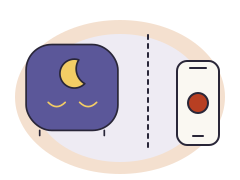
Best without an app

You want to set it on the clock, and any grown-up to change it without a phone login.

LittleHippo MELLA · Version 2

  1. Bedtimeeyes closed and a moon on the display
  2. Before wake-upyellow, 5, 15 or 30 minutes before (you choose)
  3. Wake-up timegreen with eyes open and a sun
What your child sees on the LittleHippo MELLA, drawn from LittleHippo’s own description. A drawing, not a photo.
Drawing of the LittleHippo MELLA at wake-up, not a photo

Check price on Amazon

Why we chose it
Everything is set on its own buttons, and your child sees a sleepy face at bedtime, an optional yellow “almost time” light and green at wake-up.
The catch
In a power cut it keeps its settings, but the light and sounds stop.
Set it
On the clock’s buttons, no app
In a power cut
Stops, but keeps its settings
Naps and weekends
Nap timer, one wake-up time every day
Costs extra
Nothing; no subscription
Switching it on
Runs by itself every day once the sleep trainer is on: look for a sun or moon next to the time, and press SLEEP/WAKE if it is missing
Where this comes from
LittleHippo’s own pages and manual (the sources). We have not tested it at home.

Worth knowing: Its buttons are on the bottom, so you lift the clock to change a setting.

See every clock for this situation, or show your child this clock's light before the first night.

Best for a later weekend wake-up

Weekdays and weekends need two different wake-up times, without changing the clock every Friday.

Hatch Rest+ 2nd gen

  1. Bedtimea bedtime color you pick in the app
  2. Wake-up timea wake-up color you pick in the app
Hatch lets you pick the colors in the app; this drawing shows one choice.
Drawing of the Hatch Rest+ 2nd gen in one of its colors, not a photo

Check price on Amazon

Why we chose it
You set different times for different days in the Hatch Sleep app, and its battery keeps it going if the power drops.
The catch
Setting it up and changing its schedules need the app and an internet connection. The touch ring on top turns it on or off and switches between your favorites.
Set it
In the Hatch Sleep app
In a power cut
Keeps running on its battery
Naps and weekends
No nap timer, separate weekend times
Costs extra
Nothing for the light; Hatch+ adds extras
Switching it on
Runs on its schedule, and you can also start it by hand
Where this comes from
Hatch’s own pages and manual (the sources). We have not tested it at home.

See every clock for this situation, or show your child this clock's light before the first night.

Best if the power goes out

You want the light to keep working in a power cut, not just the settings to survive.

ZAZU Sam the Sheep · 2024 version

  1. Bedtimeeyes closed and a red light
  2. Before wake-uporange 30 minutes before, as 12 stars count down; eyes still closed
  3. Wake-up timeeyes open and green
What your child sees on ZAZU Sam the Sheep, drawn from ZAZU’s own description. A drawing, not a photo.
Drawing of ZAZU Sam the Sheep at wake-up, not a photo
Why we chose it
Four AA batteries keep the light and alarm running when the plug comes out, and everything is set on the clock, no app.
The catch
The batteries are not included, and there is one wake-up time for every day.
Set it
On the clock’s buttons, no app
In a power cut
Keeps running on its battery
Naps and weekends
Nap timer, one wake-up time every day
Costs extra
Nothing; no subscription
Switching it on
Runs on its schedule, and you can also start it by hand
Where this comes from
ZAZU’s own pages and manual (the sources). We have not tested it at home.

See every clock for this situation, or show your child this clock's light before the first night.

Best for naps as well as mornings

You want a nap that ends on a timer or at a set time, kept apart from the morning wake-up.

LittleHippo NESSI · Model KHNS-01

  1. Bedtimea moon and stars, with an optional red light
  2. Wake-up timegreen with a sun
What your child sees on the LittleHippo NESSI, drawn from LittleHippo’s own description. A drawing, not a photo.
Drawing of the LittleHippo NESSI at wake-up, not a photo

Check price on Amazon

Why we chose it
A nap timer from 10 minutes to 3 hours ends with the green light or an alarm, separate from the morning wake-up time.
The catch
It must stay plugged in, and the box has no wall adapter, so you need a USB plug of your own; the coin battery only keeps the settings.
Set it
On the clock’s buttons, no app
In a power cut
Stops, but keeps its settings
Naps and weekends
Nap timer, one wake-up time every day
Costs extra
Nothing; no subscription
Switching it on
Switches on by itself every day
Where this comes from
LittleHippo’s own pages and manual (the sources). We have not tested it at home.

Worth knowing: A nap timer starts when you press the button; a nap wake-up time runs on a schedule. They suit different days.

See every clock for this situation, or show your child this clock's light before the first night.

Best for a shared room

A silent light, and a time display you can switch off so it does not light up a sibling’s side.

LittleHippo MELLA · Version 2

  1. Bedtimeeyes closed and a moon on the display
  2. Before wake-upyellow, 5, 15 or 30 minutes before (you choose)
  3. Wake-up timegreen with eyes open and a sun
What your child sees on the LittleHippo MELLA, drawn from LittleHippo’s own description. A drawing, not a photo.
Drawing of the LittleHippo MELLA at wake-up, not a photo

Check price on Amazon

Why we chose it
The morning light can stay silent and the time display dims until it is fully dark.
The catch
It needs the plug for its light; the coin battery only keeps the settings.
Set it
On the clock’s buttons, no app
In a power cut
Stops, but keeps its settings
Naps and weekends
Nap timer, one wake-up time every day
Costs extra
Nothing; no subscription
Switching it on
Runs by itself every day once the sleep trainer is on: look for a sun or moon next to the time, and press SLEEP/WAKE if it is missing
Where this comes from
LittleHippo’s own pages and manual (the sources). We have not tested it at home.

Worth knowing: At its lowest brightness the display goes fully dark; press TIME to bring the time back, LittleHippo says.

See every clock for this situation, or show your child this clock's light before the first night.

Best if you want to change it from your phone

You would rather change the routine from another room, or from work.

Hatch Rest 2nd gen

  1. Bedtimea bedtime color you pick in the app
  2. Wake-up timea wake-up color you pick in the app
Hatch lets you pick the colors in the app; this drawing shows one choice.
Drawing of the Hatch Rest 2nd gen in one of its colors, not a photo

Check price on Amazon

Why we chose it
Bedtime and wake-up routines live in the Hatch Sleep app, with your own colors and sounds and several steps a night.
The catch
It has no battery, and routines cannot be changed while the internet is down.
Set it
In the Hatch Sleep app
In a power cut
Stops until the power is back
Naps and weekends
No nap timer, separate weekend times
Costs extra
Nothing for the light; Hatch+ adds extras
Switching it on
Runs on its schedule, and you can also start it by hand
Where this comes from
Hatch’s own pages and manual (the sources). We have not tested it at home.

See every clock for this situation, or show your child this clock's light before the first night.

Before you choose a clock

An OK-to-wake clock shows a light, face or symbol at the time you set. You give that change its meaning: the morning routine can begin. An alarm is a separate choice if you also want sound.

Keep the clock you already have if it can show the signal you need. Before buying another, show your child the light and explain what happens next. If the meaning is still confusing, begin with the age and readiness guide. A birthday alone does not tell you whether your child can wait for a light.

What the clock cannot do

Treat a later light as a message about the morning, not a promise of more sleep. A clock cannot decide whether your child needs you. Illness, fear, the bathroom and other care needs take priority over waiting for a color.

Agree with the other grown-ups on what the light means and what your child can do before it. Use the same short explanation, then practice the morning together. If sleep is worrying you, talk to your child’s doctor rather than repeatedly moving the light later.

Light or sound? Decide that first

Choose what your child can notice from bed: the light changing, a face opening its eyes or a sound. Ask them to show you what that means. They do not have to recite a color name; pointing or acting it out can help you check what they understood.

For a shared room, first check whether the wake-up signal can stay silent. A sound machine and an alarm sound are different features. Check separately whether the time display can turn off, and whether the light can be dimmed. The Hatch Rest+ and MELLA comparison keeps those controls separate.

Not sure? Let the clock matcher narrow it down

Keep only the features you need. A light that keeps running in a power cut is different from a clock that only remembers its settings.

If grandparents will use the clock, check what the next grown-up can change before choosing an app model.

How we choose

A pick must do everything its situation needs according to the maker’s own pages and manuals, and be on sale now. Among those, we choose the clock that fits that household best and say plainly what it does not do. The same clock can win two situations. Amazon links, commission and photos play no part, and we have not tested the clocks at home. More on how we compare.

Questions parents ask

What age is an OK-to-wake clock for?

It depends on the clock, and each maker sets its own age: LittleHippo says MELLA’s sleep trainer is best from age 2, and PlayMonster’s Mirari manual says it is not for children under 36 months. Follow the maker’s age warning first; above it, whether your child can wait for a signal matters more than the birthday. Is my child ready? →

Do OK-to-wake clocks work?

A clock cannot make a child sleep longer. It gives you both a signal you agree on, so “is it time yet?” has an answer, and how you introduce it matters more than which clock you buy. How to introduce the clock →

Should the light be red or green?

Most clocks use green or a sun for “you can get up”, and some add a red or orange light at bedtime or just before wake-up; on Hatch clocks you pick the colors yourself. What matters is that the color means the same thing every morning. See each clock’s colors →

How long does the green light stay on?

It depends on the clock: MELLA and NESSI switch the green light off after an hour, the Baby Shark clock keeps it on for an hour, and on Mirari you choose the auto-off time. Each model page says what yours does. If the light goes off too early →

What happens if the power goes out?

Most plug-in clocks stop. Some keep their settings on a coin battery, and only a few keep the light running on batteries, like the power-cut pick above. Battery backup or memory backup? →

Can it handle naps too?

Some clocks have a nap timer you start at nap time; others have a second wake-up time for the afternoon. Which one suits you depends on whether naps start at the same time every day. Nap timers and second wake-up times →

Can grandma or a sitter change it?

On a clock with buttons anyone can, so show them the lock. On an app clock they need their own access in the app, and not every brand says how that works. Sharing a clock with other grown-ups →

When do kids move on to a real alarm clock?

Usually when school mornings start and they can read the time, often around first grade. Many OK-to-wake clocks already have a separate alarm, so you may not need a new clock. Kids alarm clocks and the clocks that do both →

None of these is your situation?

The clock matcher takes your own must-haves and shows every clock that has them, and why the others drop out. All clocks lists every clock with the same facts side by side.

Buying for a school-age child who needs to be woken up, not kept in bed? Read kids alarm clocks: when to move on from an OK-to-wake clock, with the clocks that do both.

We print no prices of our own. Retail prices and stock change without notice and are shown by the retailer.